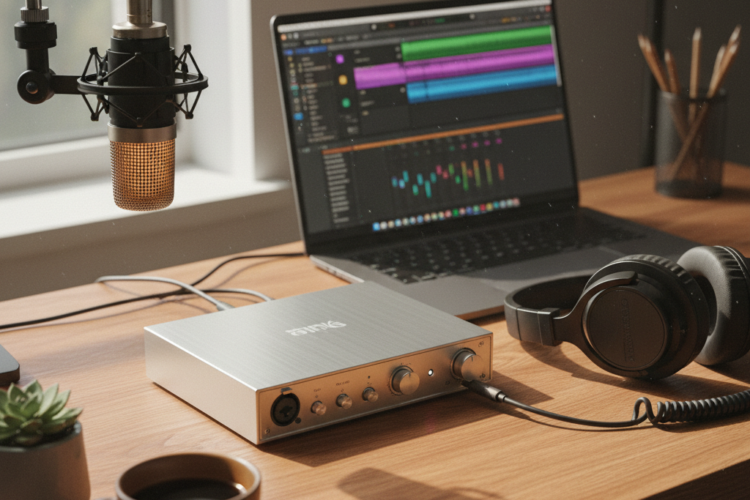
For any aspiring musician, podcaster, or voiceover artist setting up a home studio, a crucial decision often arises early in the process: “Which audio interface should I buy?” This piece of equipment is the linchpin connecting your microphone, instruments, and headphones to your computer, translating analog sound into digital data your software can understand, and vice-versa. Making the right choice can dramatically impact the quality and ease of your recordings, while a poor one can lead to frustration and subpar results. This guide will help you navigate the options and understand what truly matters when selecting your first or next audio interface.
Understanding What an Audio Interface Does (and Why It’s Essential)
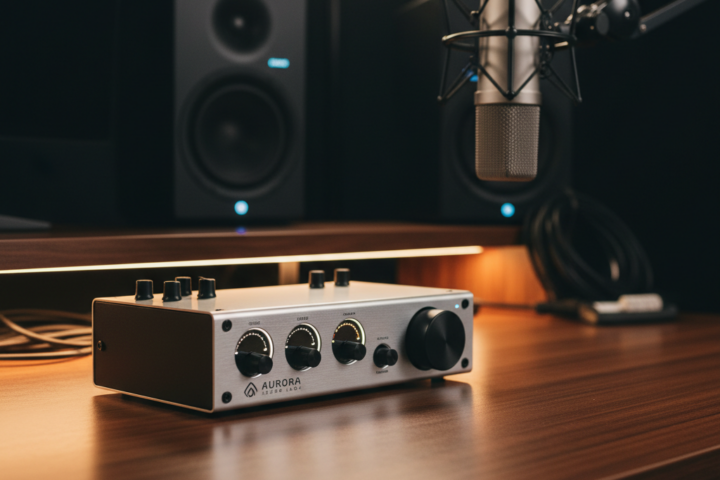
Think of an audio interface as an external sound card, specifically designed for high-quality audio input and output. Unlike your computer’s built-in sound card, which is often optimized for general media consumption, an audio interface offers dedicated preamplifiers for microphones, instrument inputs (often called “Hi-Z” or “DI” inputs), and high-fidelity analog-to-digital (A/D) and digital-to-analog (D/A) converters. These specialized components ensure that the sound you capture is clean, full, and accurate, and that the sound you hear back through your headphones or monitor speakers is equally pristine.
Without an audio interface, directly connecting a professional microphone to your computer is often impossible (due to incompatible connectors or the lack of necessary power, like “phantom power” for condenser microphones). Even if you could, the internal circuitry of a typical computer can introduce unwanted noise and compromise the audio quality. The interface bypasses these limitations, providing the clean signal path vital for good recordings. It also often offers multiple inputs and outputs, allowing you to record several instruments or microphones simultaneously and connect dedicated studio monitors.
Key Considerations When Choosing Your Interface
When faced with the myriad of audio interfaces on the market, focusing on a few practical considerations will simplify your decision:
1. Input/Output (I/O) Needs and Scalability
The most immediate question is how many inputs and outputs you truly need. Are you a solo vocalist who just needs one mic input? A singer-songwriter wanting to record vocals and an acoustic guitar simultaneously (requiring at least two inputs)? Or are you planning to record a full band with multiple instruments and microphones? Interfaces range from simple 1-in/2-out models to complex units with 16 or more inputs.
Practical Tip: Consider your current needs but also think about potential future expansion. A 2-in/2-out interface (like a Focusrite Scarlett 2i2 or Universal Audio Volt 2) is a popular starting point for many home studio users, offering two microphone preamps and two line outputs for monitors. If you might want to record a drum kit or a small ensemble later, an interface with 4, 8, or even ADAT expansion capabilities would be more suitable. Choosing an interface that allows for some growth can save you from having to upgrade too soon.
2. Connection Type and Compatibility
Audio interfaces connect to your computer via different methods, most commonly USB (2.0, 3.0, or USB-C), Thunderbolt, or FireWire (though FireWire is becoming less common). USB is the most universal and user-friendly, compatible with almost all modern computers. Thunderbolt offers lower latency (the delay between playing a sound and hearing it back) and faster data transfer, but it’s typically found on higher-end machines and interfaces. Always check that the interface’s connection type matches an available port on your computer.
Common Mistake: Buying a Thunderbolt interface when your computer only has USB ports, or vice-versa. Ensure compatibility with your operating system (Windows or macOS) as well. Most major brands provide drivers for both, but it’s always worth double-checking the product specifications.
3. Sound Quality and Preamps (Without Getting Too Technical)
While specifications like “sample rate” and “bit depth” can get complex, for a beginner, focus on the reputation of the preamps. The preamplifier is what boosts your microphone signal to a recordable level. Good preamps are crucial for clear, noise-free recordings. Entry-level interfaces from reputable brands like Focusrite, Behringer (UMC series), PreSonus, and Universal Audio (Volt series) offer excellent sound quality for their price point.
Important Consideration: Don’t just look for “high numbers” on sample rate and bit depth. While higher numbers *can* indicate better quality, most interfaces today offer 24-bit recording at 44.1 kHz or 48 kHz (CD quality and professional video standard, respectively), which is more than sufficient for high-quality home studio recordings. Investing in a good microphone and acoustic treatment for your room will often have a more significant impact on sound clarity than pushing extreme sample rates.
By carefully considering your I/O needs, ensuring compatibility, and trusting brands known for quality preamps, you can confidently choose an audio interface that will serve as a reliable foundation for your home studio, enabling you to capture your creative ideas with clarity and precision.